Company OS. We designed Humanely's company apps, member portal, and design system.
The brief
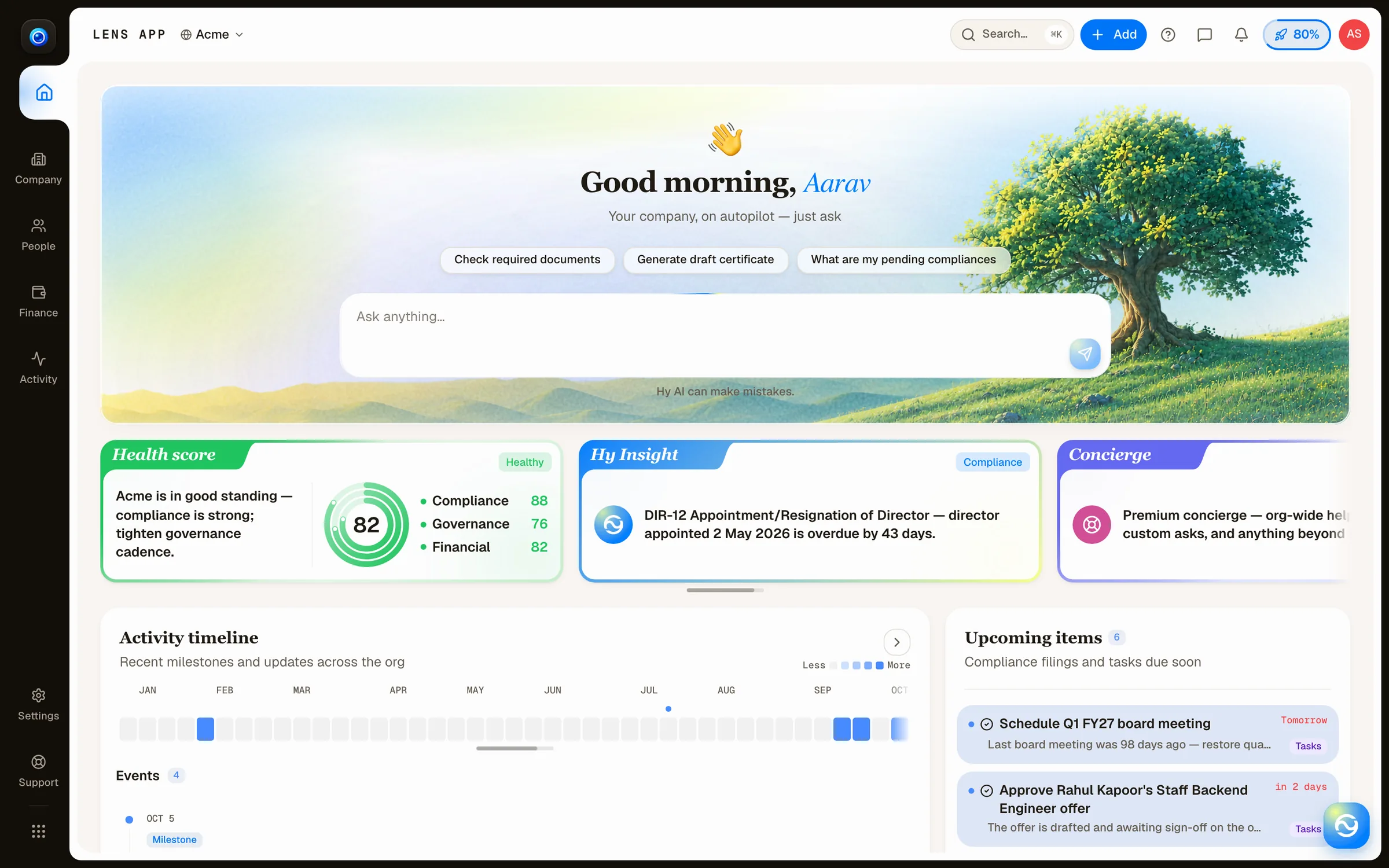
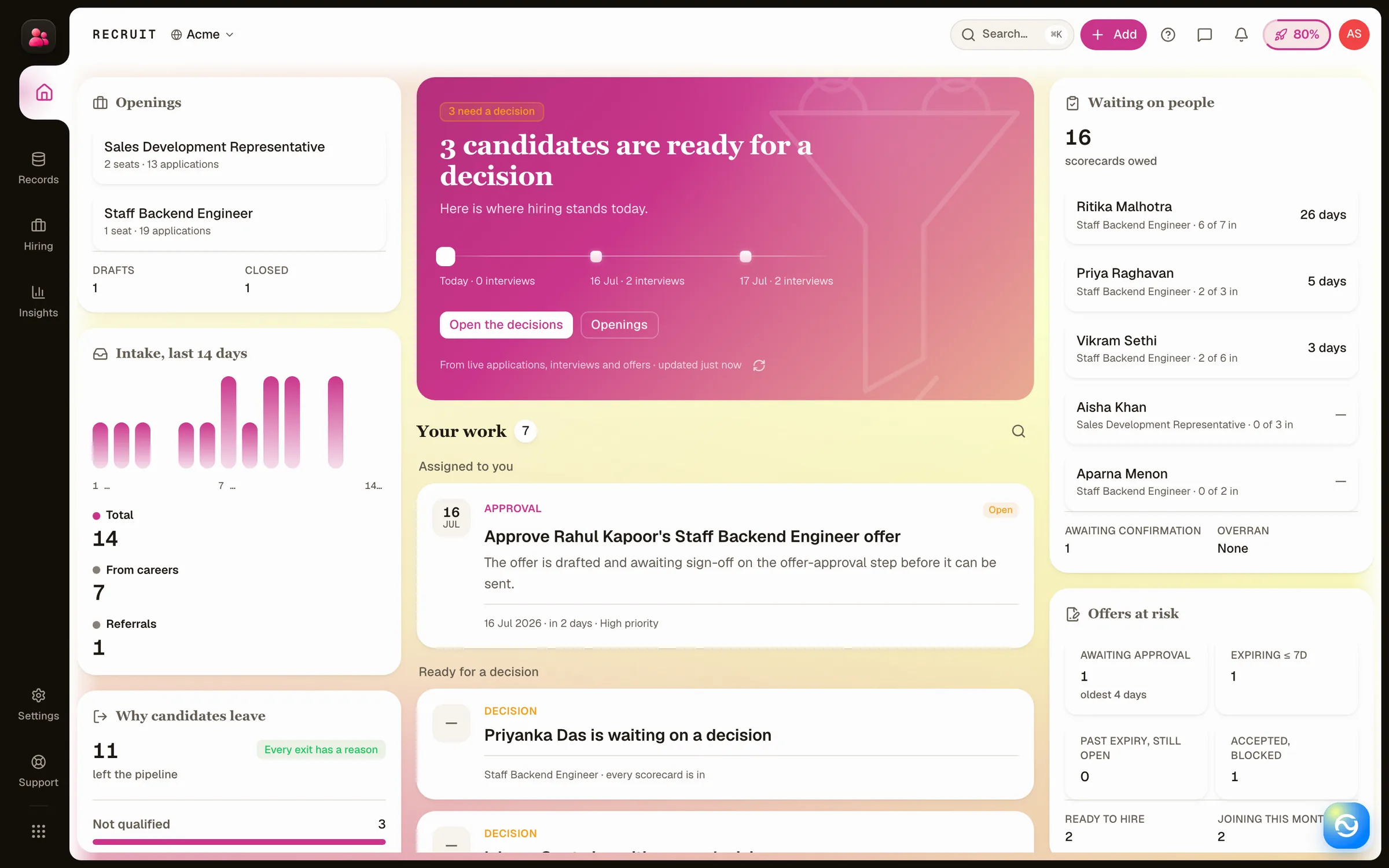
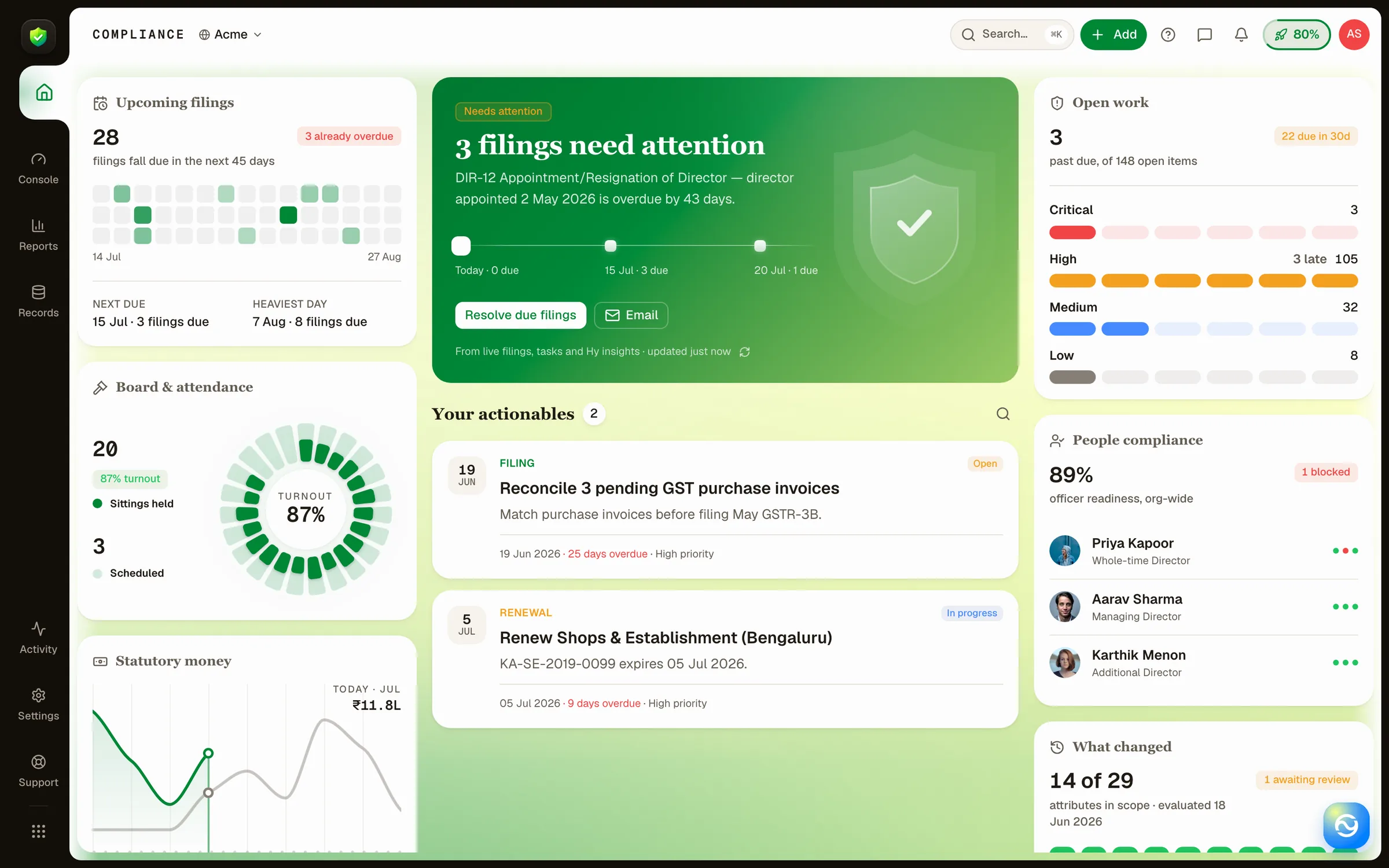
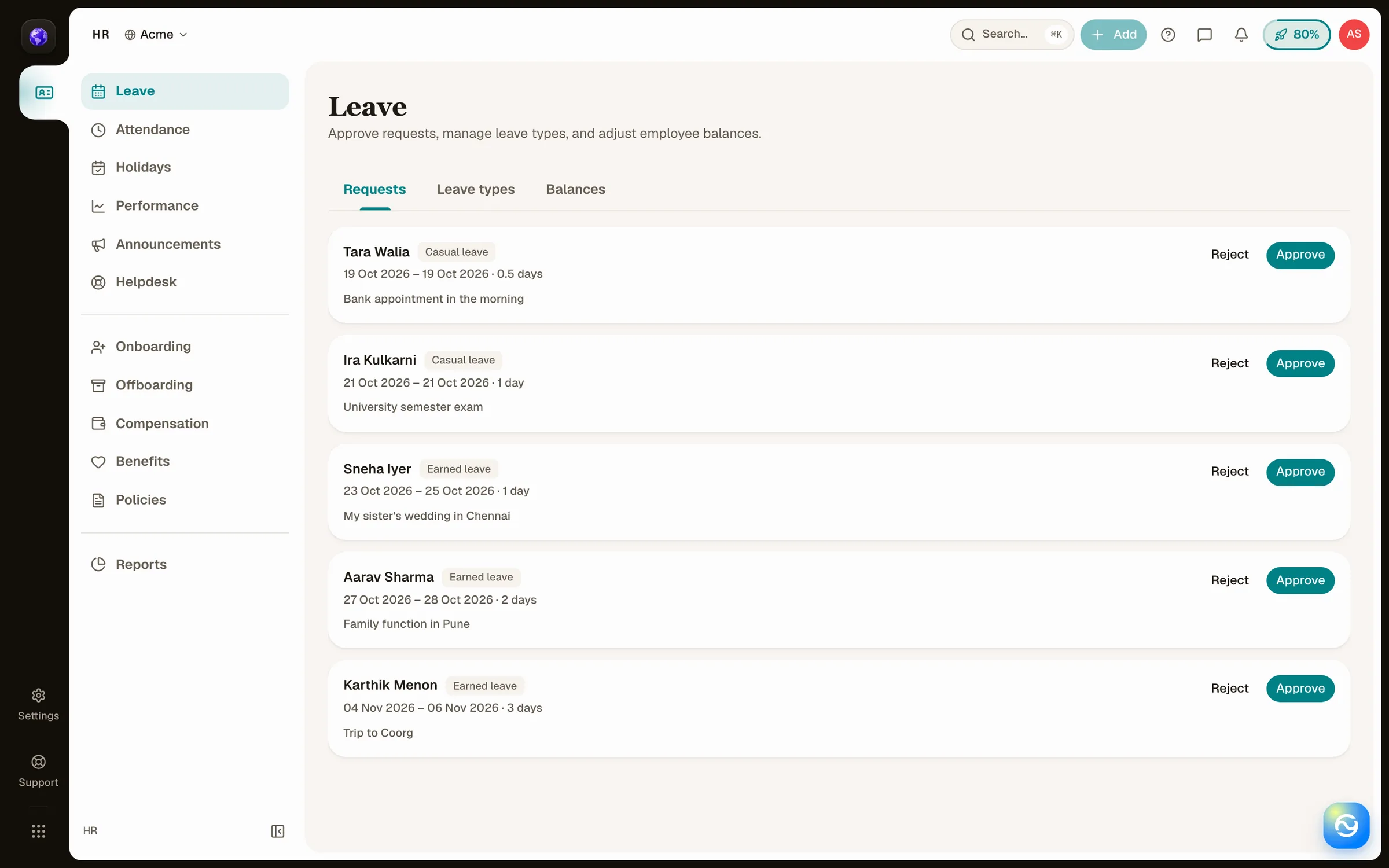
Company OS is Humanely's application for company administration, including recruiting, HR, payroll, and compliance. Administrators need to review records and act across those areas. Members need access to their own applications, pay, leave, and documents.
We designed the company apps, member portal, and HDL, their shared interface system. The work connects consistent navigation and record layouts with the different information and actions each role needs.
- Company app examples
- 4
- Recruit, HR, Compliance, and Payroll in the captured October 2026 interface.
- Member role examples
- 3
- Candidate, employee, and alumni homes shown in this case study.
- Interface themes
- 2
- Lens is shown in light and dark in the October 2026 captures.
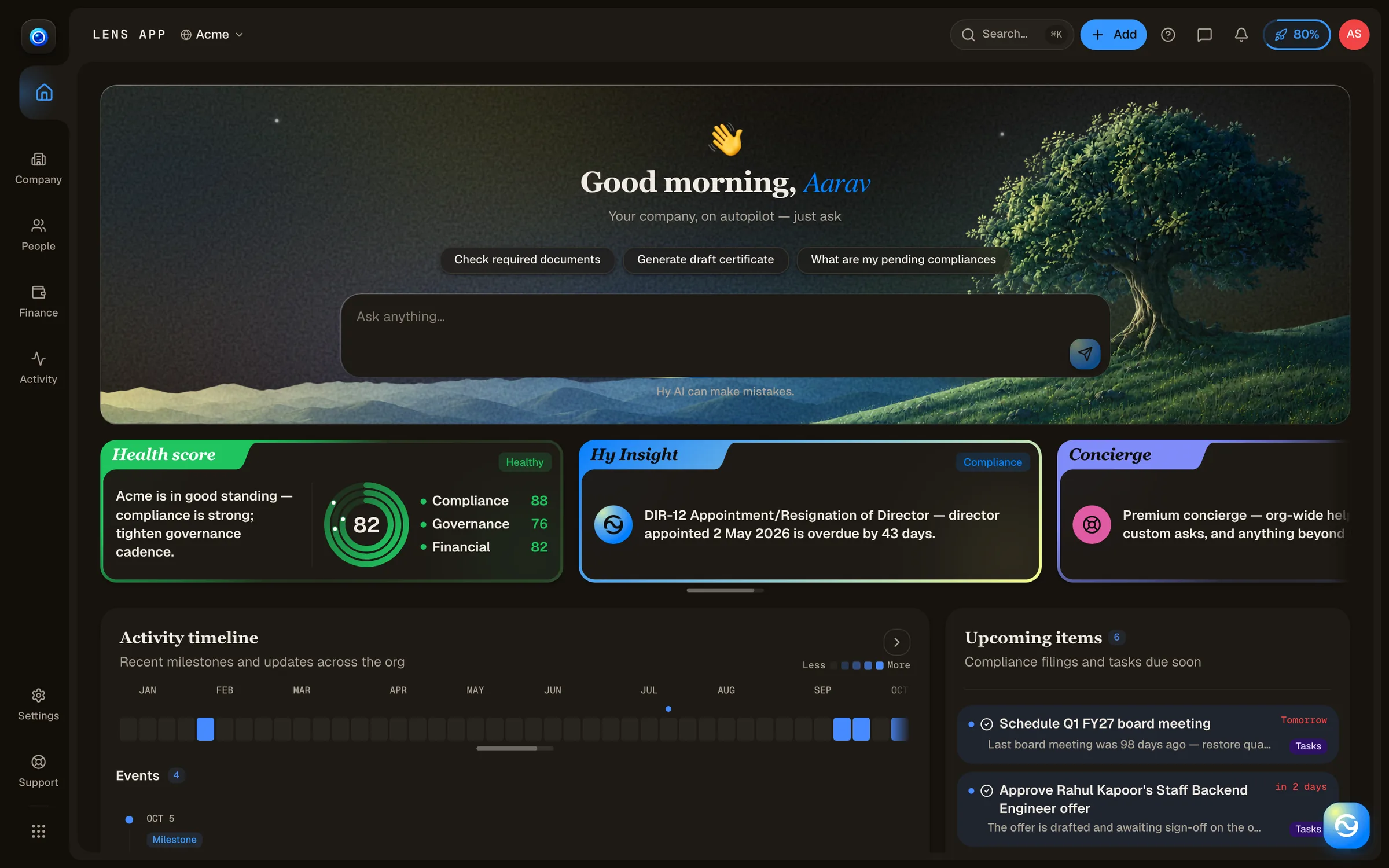
We adapted a shared card layout to different member roles.
Member portal
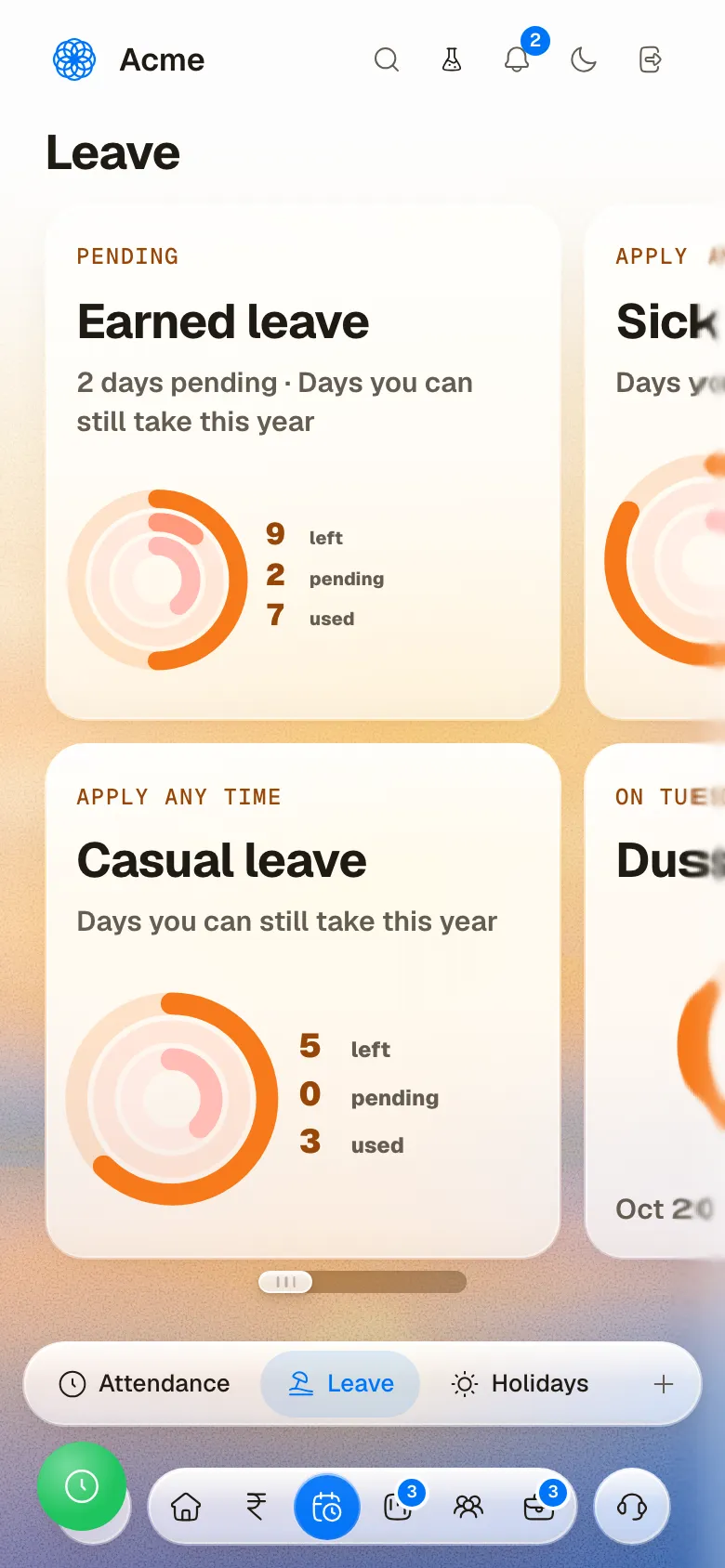
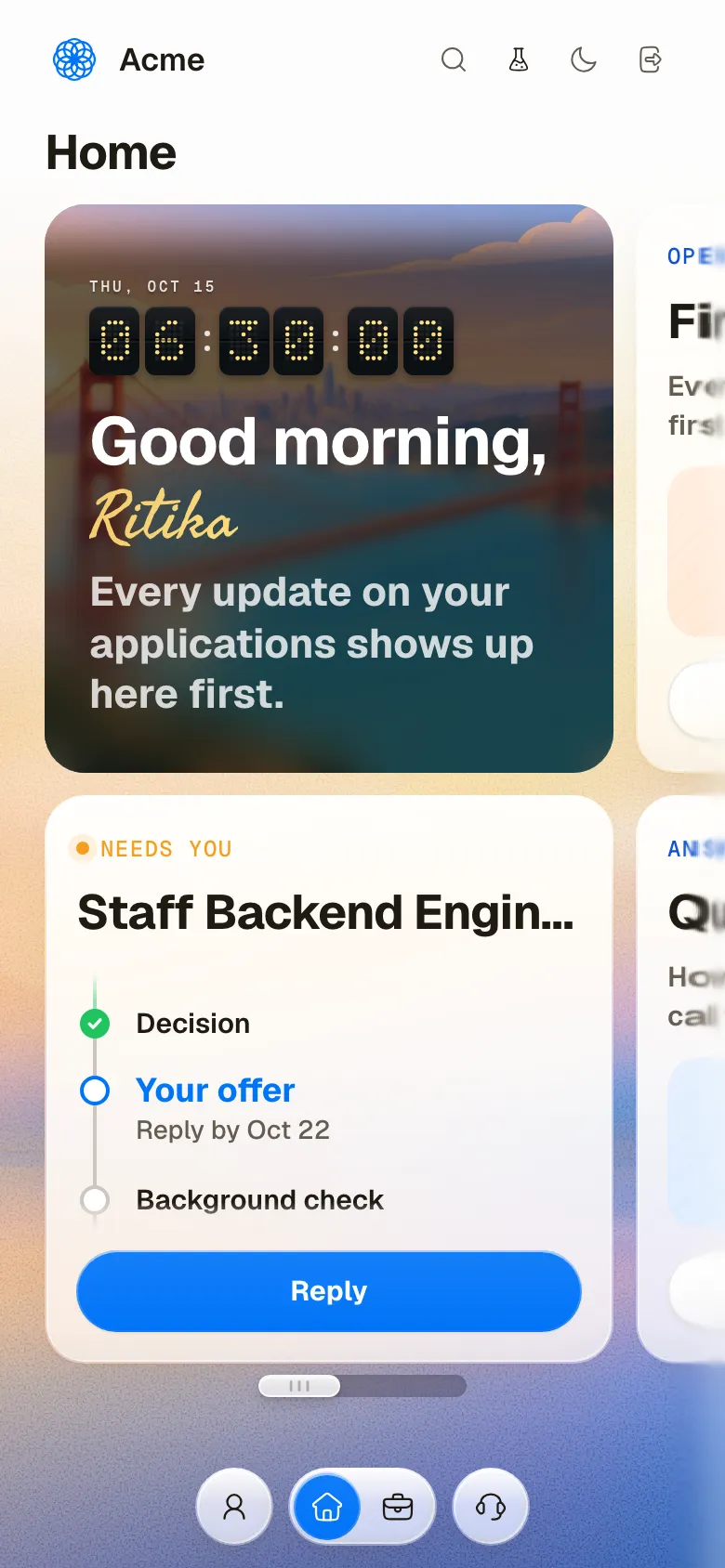
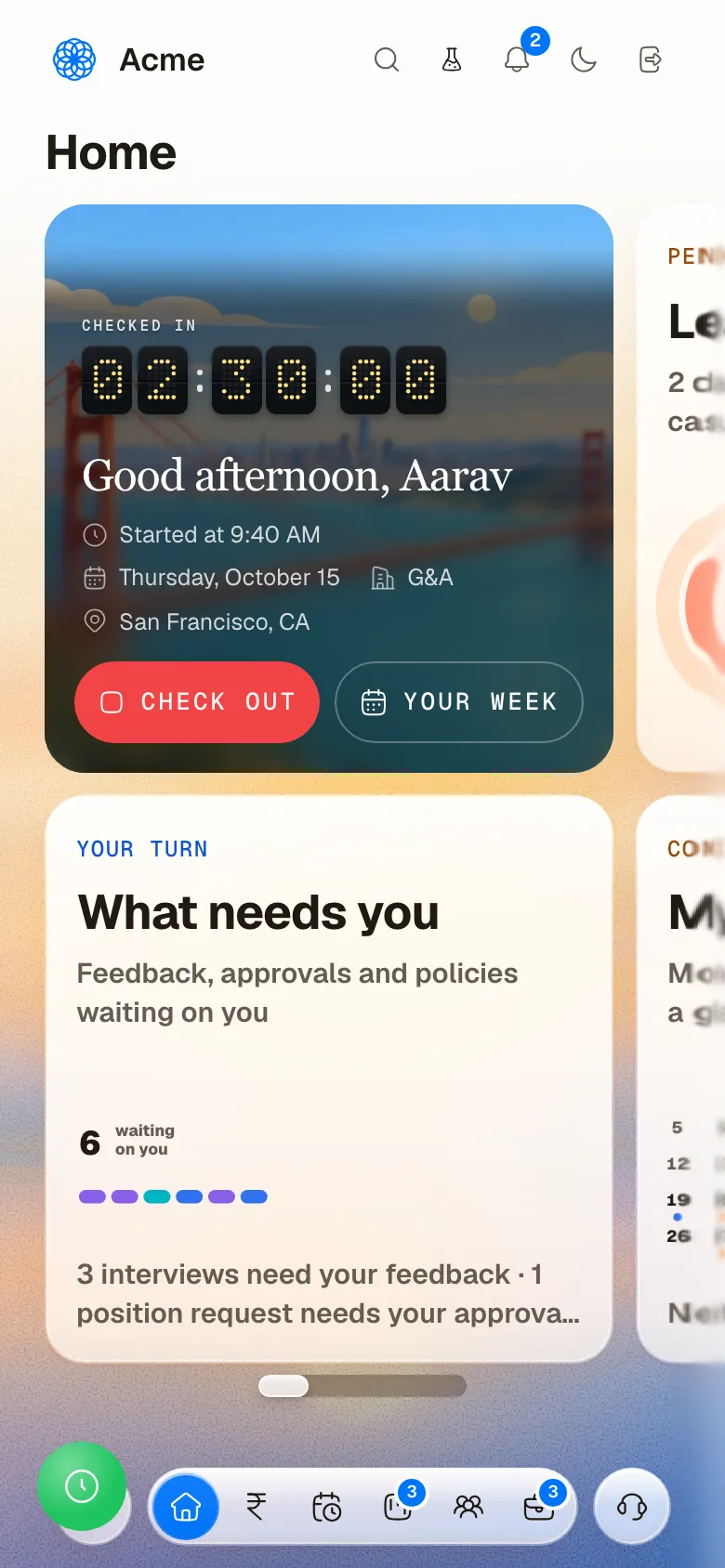
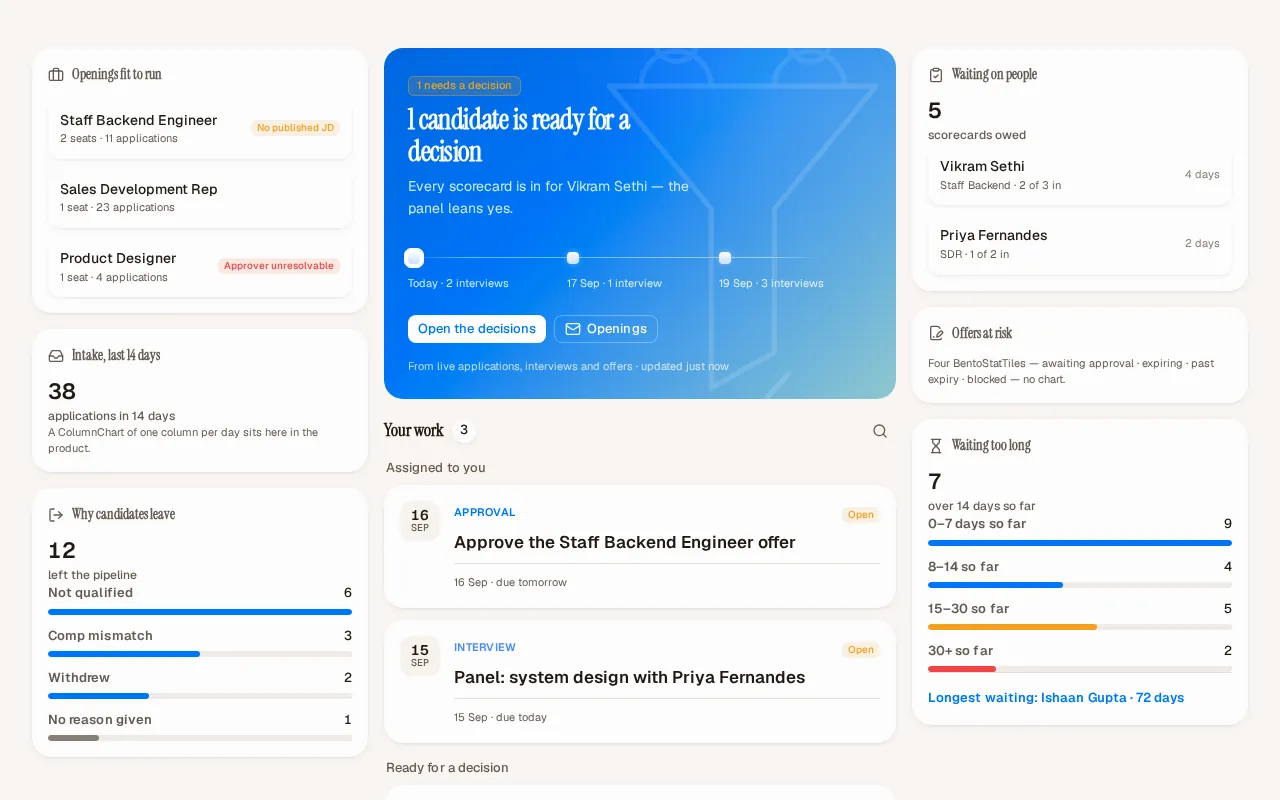
Candidates follow an application and respond to offers. Employees check in, review leave, and open pending actions. Alumni access their letters. A shared card layout gives these tasks a consistent structure while the content changes with the member's role. Greeting cards establish the home; data and action cards organize the work beneath them.


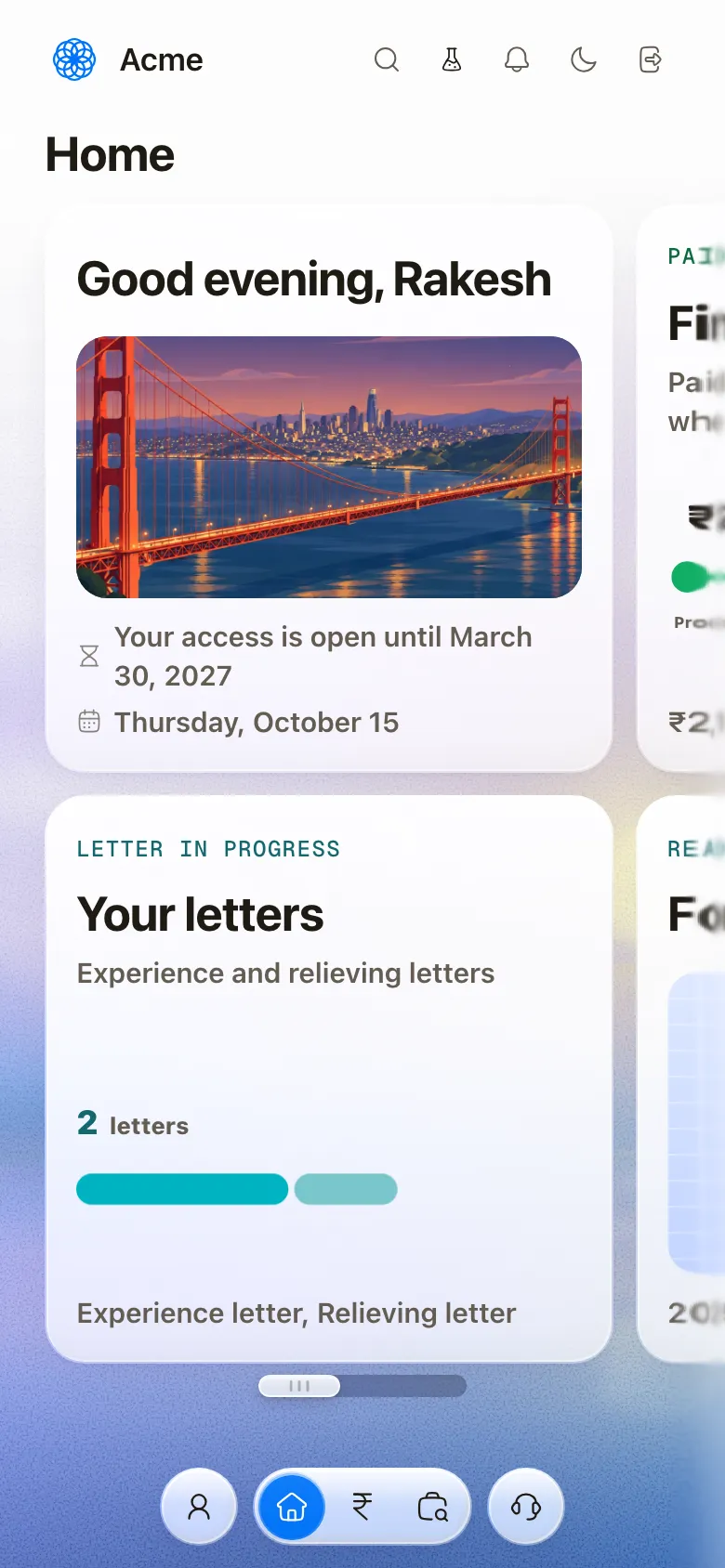
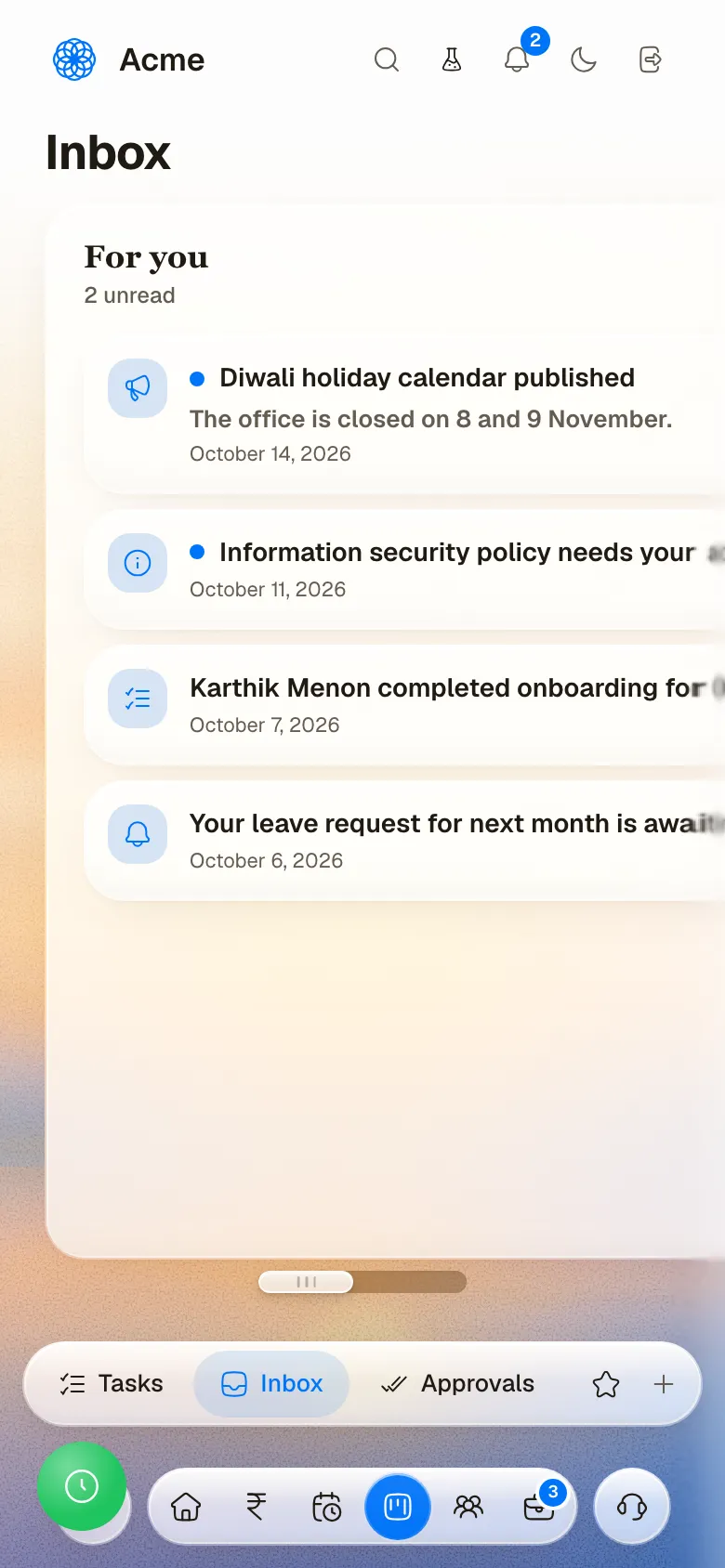
We defined shared interface rules in HDL.
Design system
HDL, the Humanely design system, defines type, color, spacing, and reusable controls. Warm neutral surfaces carry dense records, with separate colors for app identity and status. Status patterns combine words and icons with color. The system also defines collection, detail, and portal patterns, connecting individual controls to the layouts that use them.
Color
Humanely blue
The Humanely brand accent in the captured interface.
- Tint#EDF4FF
- Info#478AFF
- Primary#0074F8
Sub-app accents
Each app carries one accent of its own on its buttons and focus rings.
- Recruit#CA358B
- HR#008186
- Compliance#008736
- Payroll#9C6A00
- Books#C64E00
Company
Module color for company records.
- Fill#EDE9FE
- Border#A78BFA
- Text#5B21B6
People
Module color for people records.
- Fill#FCE7F3
- Border#F9A8D4
- Text#9D174D
Compliance
Module color for compliance records.
- Fill#D1FAE5
- Border#6EE7B7
- Text#065F46
Finance
Module color for finance records.
- Fill#FEF3C7
- Border#FCD34D
- Text#92400E
Vendors
Module color for vendor records.
- Fill#E0F2FE
- Border#7DD3FC
- Text#075985
Customers
Module color for customer records.
- Fill#FEF9C3
- Border#FDE047
- Text#854D0E
Warm neutrals
Surfaces, boundaries, and text in the captured interface.
- Page#F9F7F4
- Card#FBFAF9
- Muted#F1EDE5
- Border#EAE5DC
- Divider#E8E3DA
- Placeholder#9E9082
- Quiet text#5A4A31
- Body#3C3121
- Heading#0F0C08
Success
Done and healthy.
- Tint#E7F6EF
- Color#22C55E
- Text#15803D
Warning
Needs a look soon.
- Tint#FFF4ED
- Color#F59E0B
Error
Blocked or overdue.
- Tint#FEF2F2
- Color#EF4444
- Text#DC2626
Chart colors
The categorical palette for charts and tags.
- Blue#3B82F6
- Emerald#10B981
- Pink#EC4899
- Violet#8B5CF6
- Teal#14B8A6
- Orange#F97316
- Highlight#FEF08A
AI and focus
Colors for the assistant, its gradient and the focus ring.
- AI#F7FE87
- AI cyan#7DBFC3
- AI blue#007FFF
- AI orange#FF6B35
- Accent#7367EE
- Indigo#6366F1
- Focus#0AA45E
Type
Geist
400 · 600
3 candidates are ready for a decision
Portal titles and interface text
Geist Mono
500
OCT 31 87% 16 owed
Numbers
- Hero72px / 72px
- Display30px / 33px
- Page title28px / 32px
- Stat22px / 25px
- Card title17px / 22px
- Body14px / 22px
- Label13px / 18px
- Meta12px / 17px
- Footnote11px / 15px
- Chart axis10px / 12px
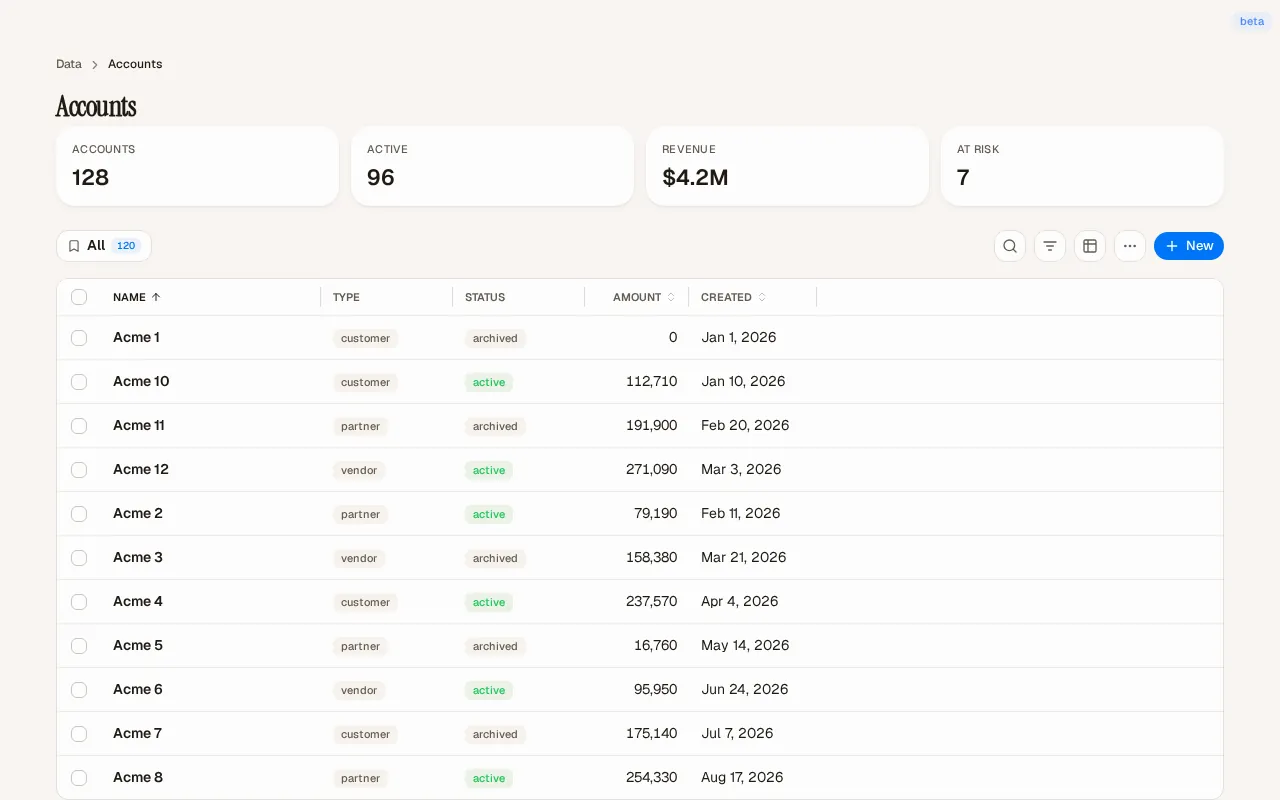
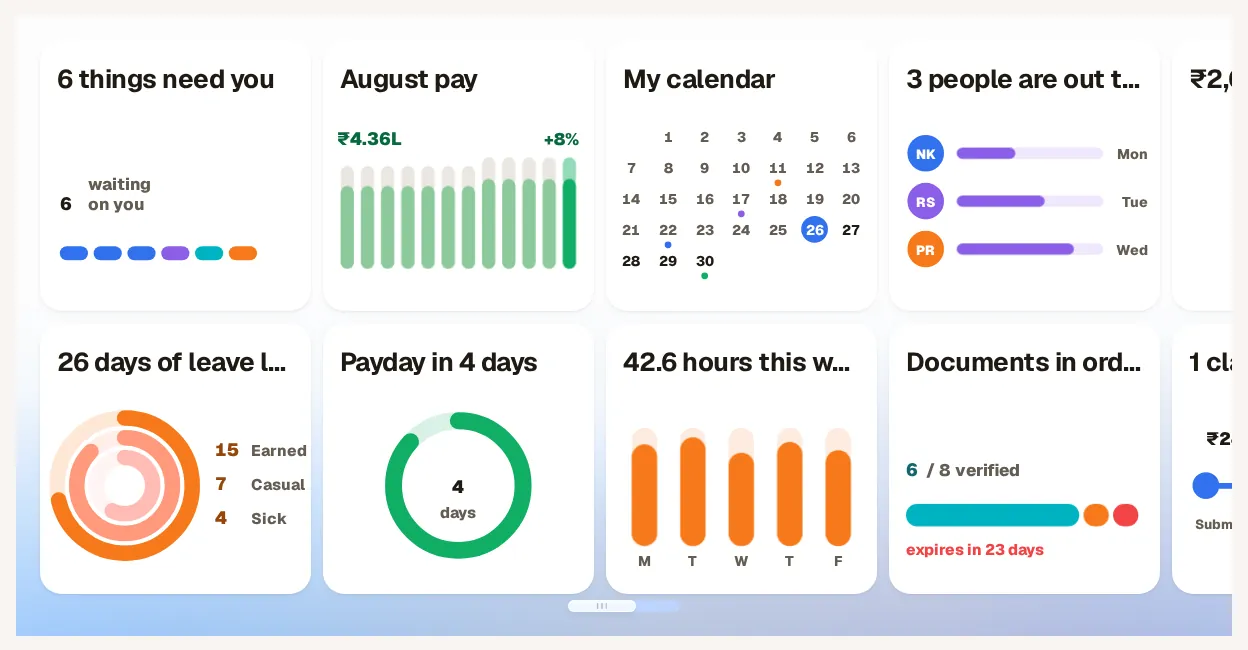
We carried the design into reusable page patterns.
Design implementation
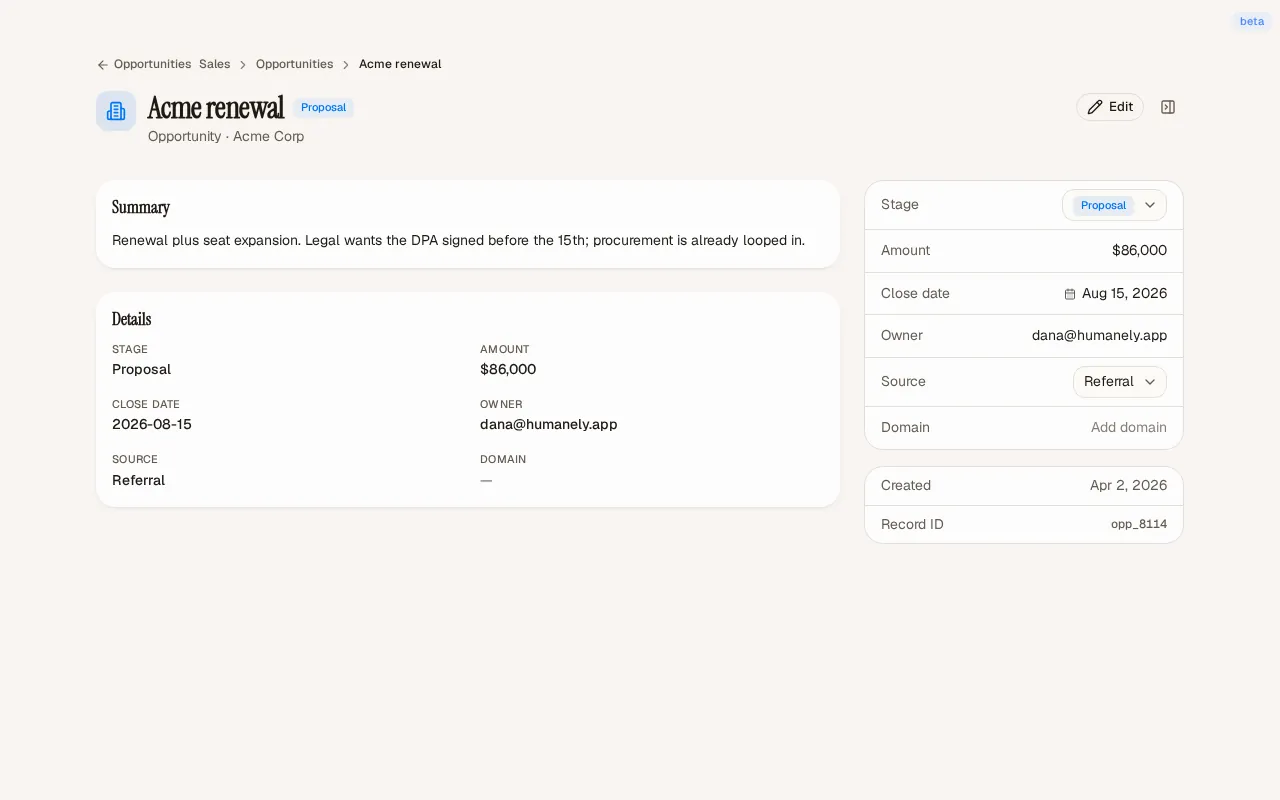
The component library makes the relationship between controls and full pages visible. Collection patterns group summary figures, filters, and records; detail patterns separate the record's content from its properties. Portal widgets provide a different composition for personal tasks. Together, these examples connect shared interface rules with the tasks each page supports.
Credits
Team
- reDesign Product interface design and HDL design system
- reLabs Engineering
Next project: Keep app
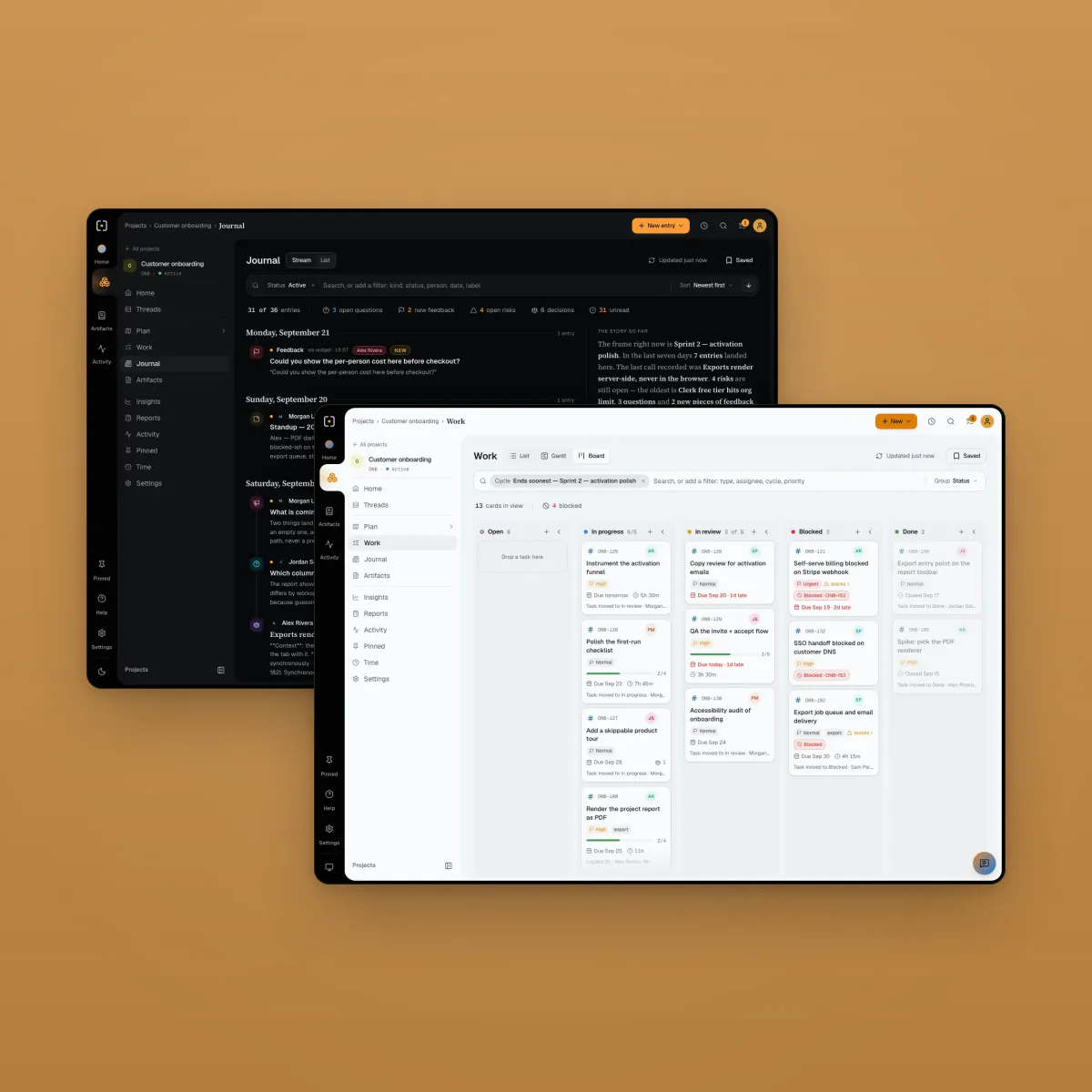 Keep app. A project workspace that people and their AI agents share